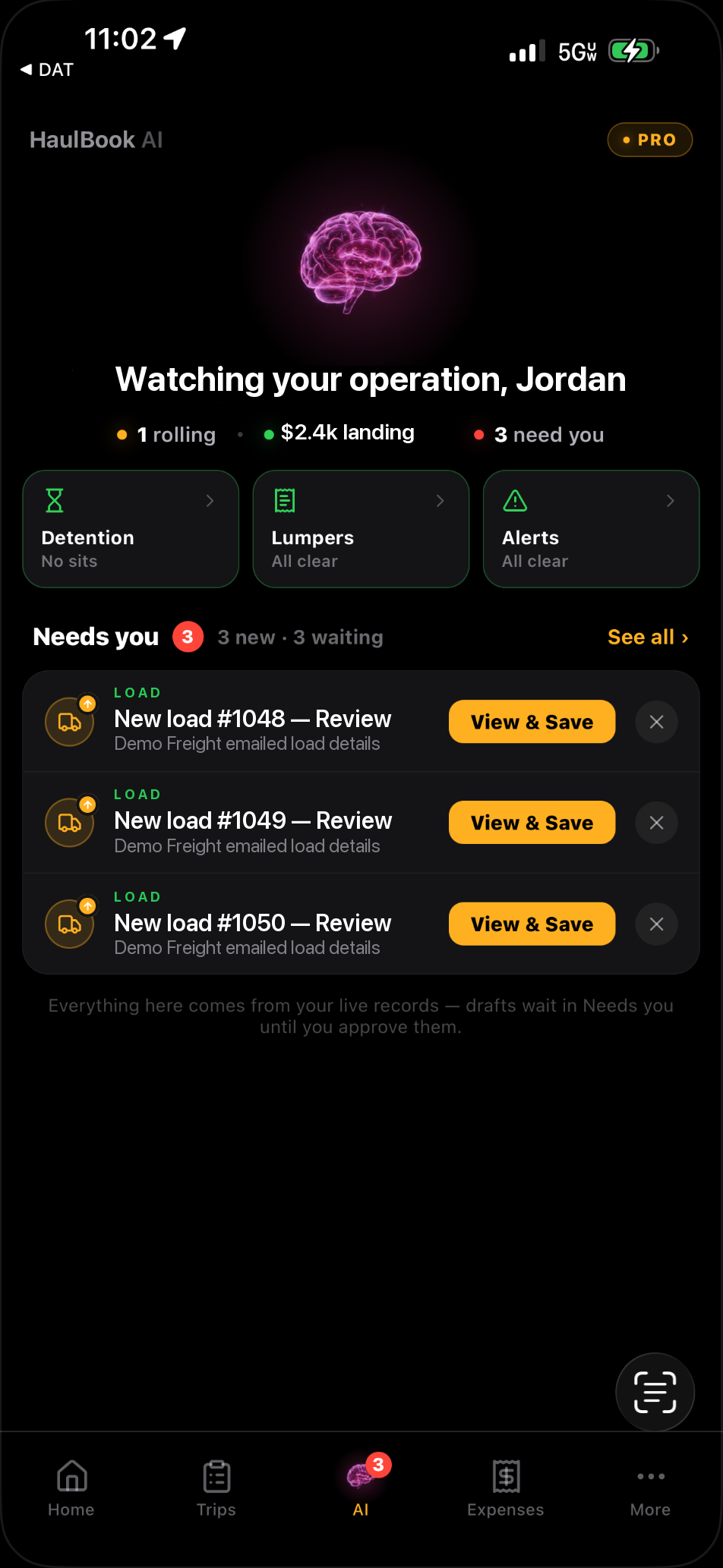
A rate confirmation lands in Gmail or Outlook. HaulBook reads it and prepares the load draft with stops, dates, rate and broker details. Review it in “Needs you,” then save the load with its rate confirmation.
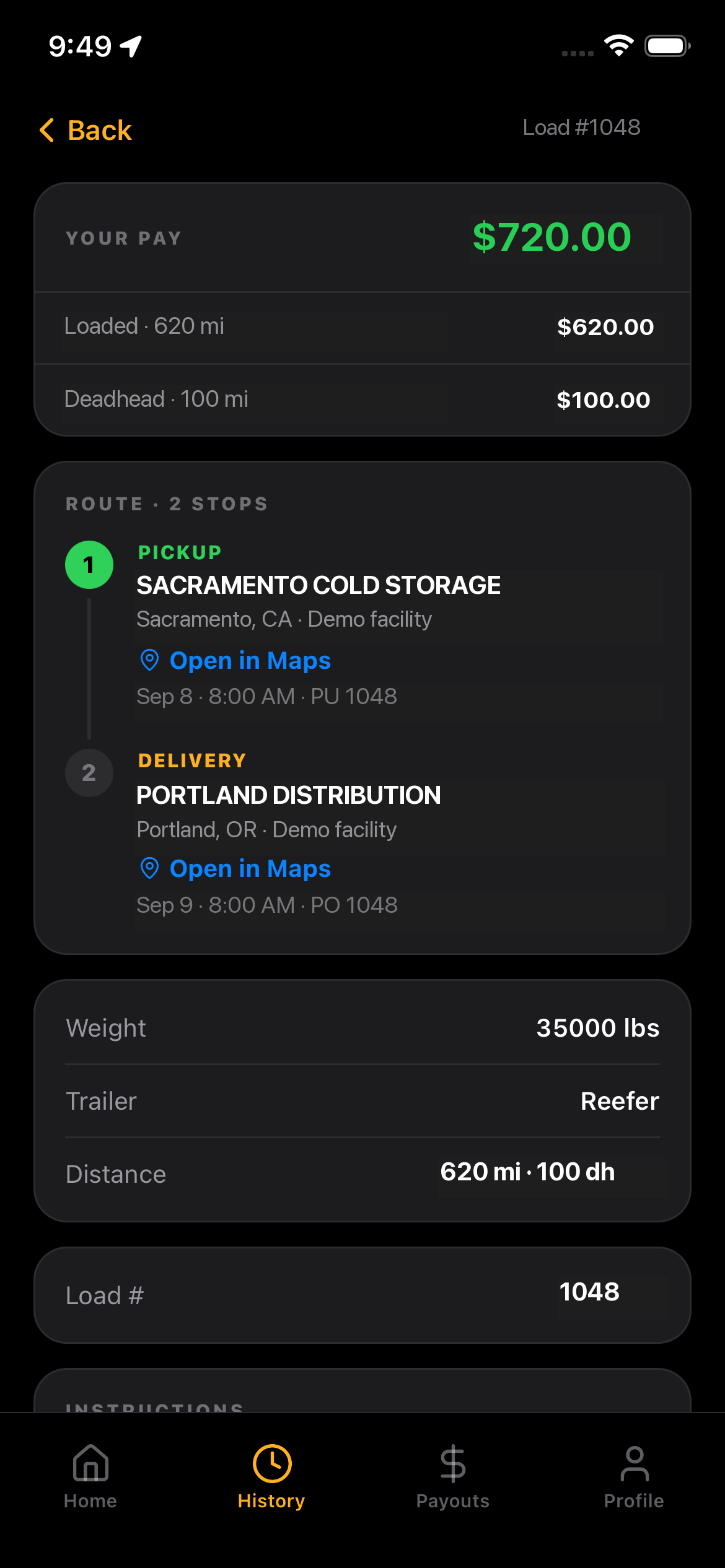
620 loaded miles · 53 ft reefer Pickup Sep 8 · Delivery Sep 9
rate-confirmation_1048.pdf
01Email received
02Load prepared
03You review
AI features vary by plan. Quotes and new bookings always need your approval.
Your records. Your decisions.HaulBook AI on iPhone · illustrative records
02 / DISPATCHEDTHE OFFICE AND THE ROAD, IN SYNC
FLEET TMS + HAULBOOK DRIVER · PRO
A clear plan. In every hand.
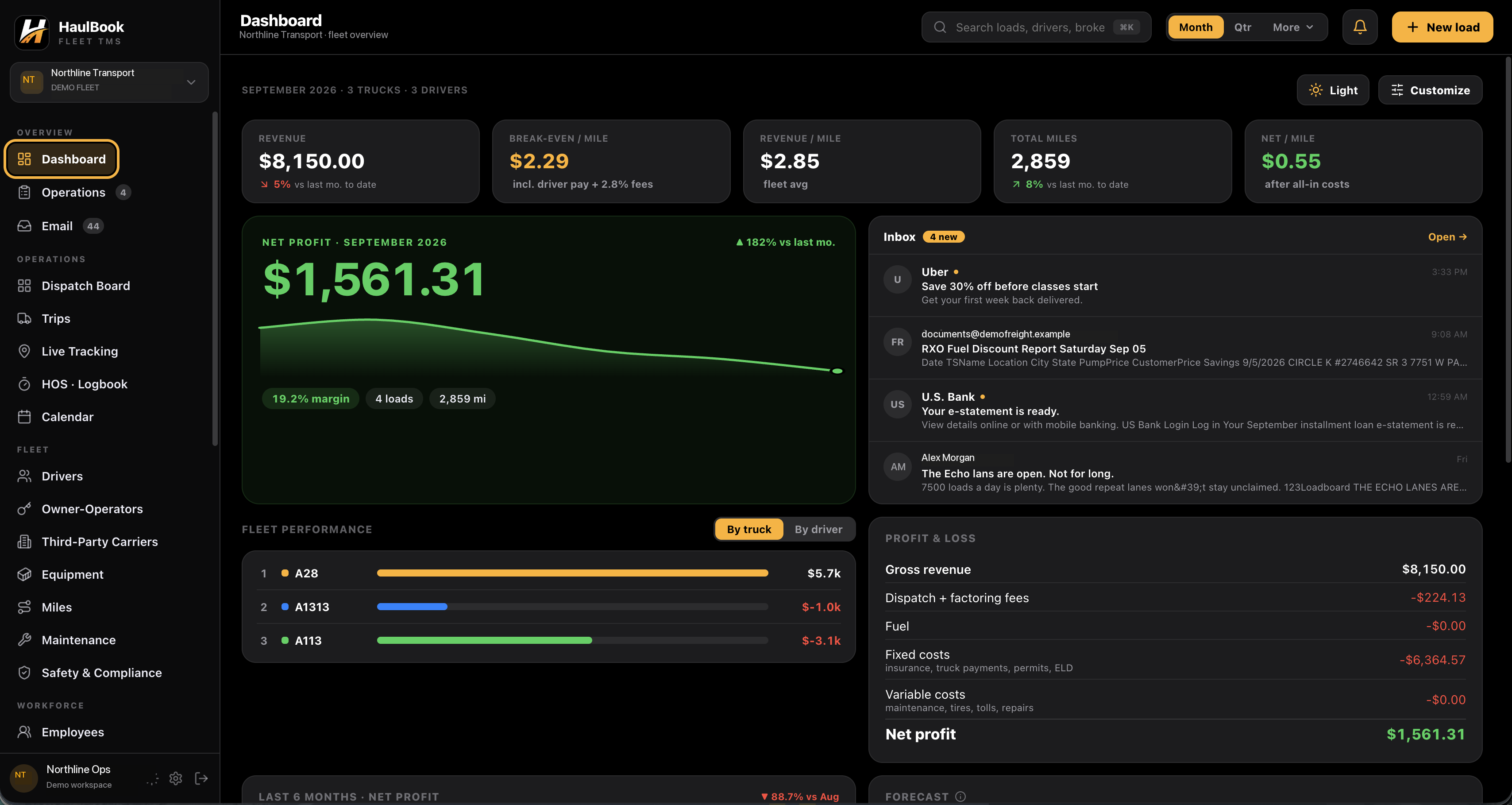
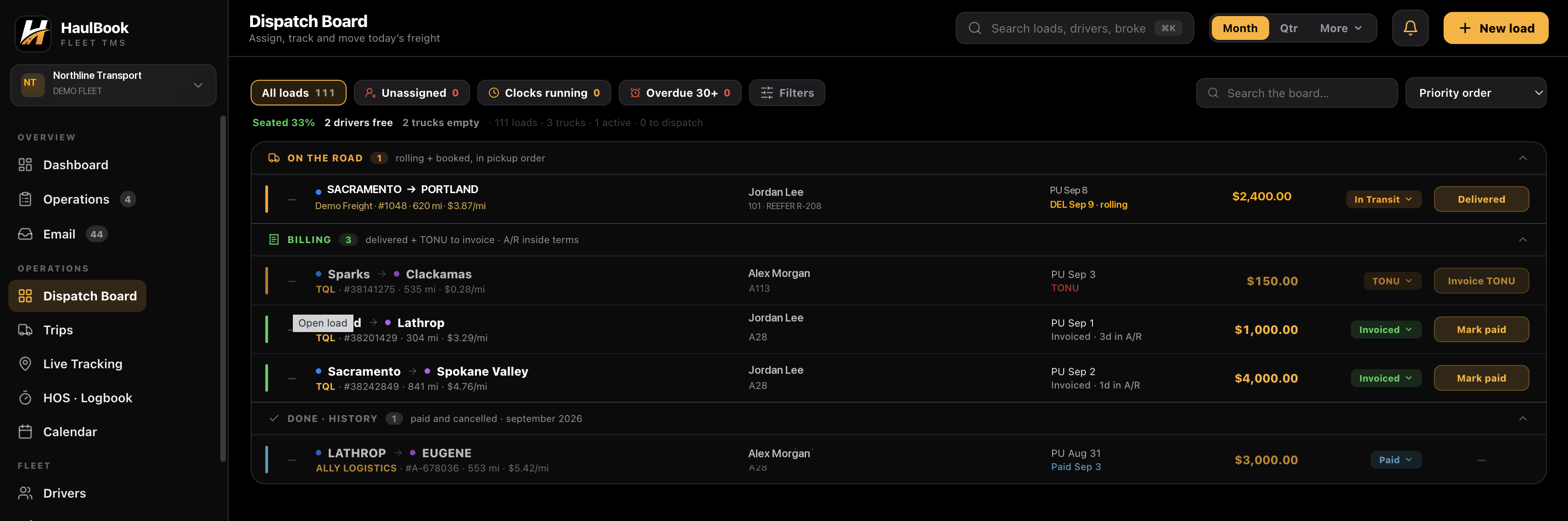
Choose the driver, truck and trailer in the dispatch board. HaulBook notifies the driver in their app with the assignment, stops and load details. The office and driver work from the same trip.
Assignment notifications, stops & trip history
Arrival, dock check-in & departure updates
Document scans, expenses & pay statements
JL
Jordan Lee · Unit 101Assigned to sample load #1048
With location permissions and tracking set up, the Driver app can record the facility arrival. The stop time reaches the office and starts the record for any detention review.
08:00 · ArrivedPickup time recordedOffice notified
SCROLL TO MOVE THE STORYLOAD 1048 / ILLUSTRATIVE JOURNEY
PICKUP / DOCK 04
Precision at every handoff.
Back into the dock. Load the pallets. The driver confirms dock check-in, the office receives the update, and arrival, dock and departure times stay with the stop.
At dockLoadingStop clock running
SCROLL TO MOVE THE STORYLOAD 1048 / ILLUSTRATIVE JOURNEY
DRIVER → OFFICE → BROKER
The wheels turn. Everyone knows.
The recorded departure updates the load and notifies the office. Enable automatic broker tracking updates, approve each update, or keep them off. One stop event carries the work forward.
11:30 · DepartedOffice updatedBroker: auto / approve / off
SCROLL TO MOVE THE STORYLOAD 1048 / ILLUSTRATIVE JOURNEY
03 / IN TRANSITKNOW WHAT IS MOVING. AND WHAT ISN’T.
LIVE ACTIVITY + DETENTION + LUMPERS
The clock matters. So does your time.
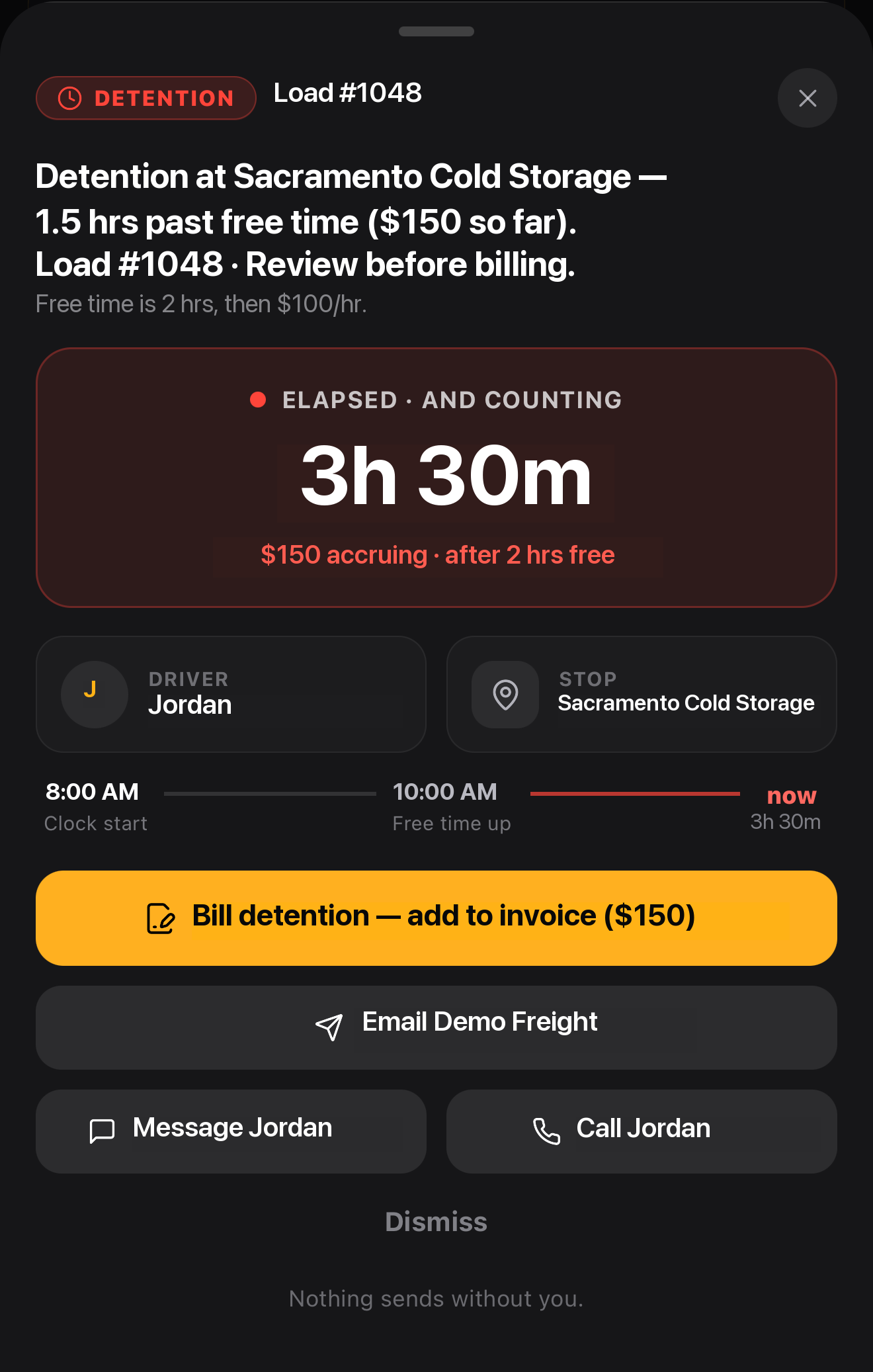
Recorded stop times and agreed terms give detention a basis. HaulBook surfaces the charge for review, keeps lumper receipts with the load, and prepares the next billing or broker action.
TRY THE SAMPLE STOP
After 2 hours free · $100 / hr$150
Illustrative terms. Actual charges depend on the agreed terms and recorded stop times.
With location permissions or a supported ELD, arrival and departure events update the office. Broker tracking updates follow your auto / approve / off settings. Review stop times and agreed terms before billing.
From a stop clock to a billing action.HaulBook on iPhone · original action sheet
PORTLAND / DELIVERY DOCK
Freight arrives. The story continues.
The freight comes off at the final stop. Recorded departure moves the load to delivered and updates the office. The signed POD connects this delivery to billing.
Arrival recordedUnloadingPOD next
SCROLL TO MOVE THE STORYLOAD 1048 / ILLUSTRATIVE JOURNEY
04 / DELIVEREDTHE LAST STOP ISN’T THE LAST STEP
PROOF OF DELIVERY + PAPERWORK
Freight delivered. Loose ends handled.
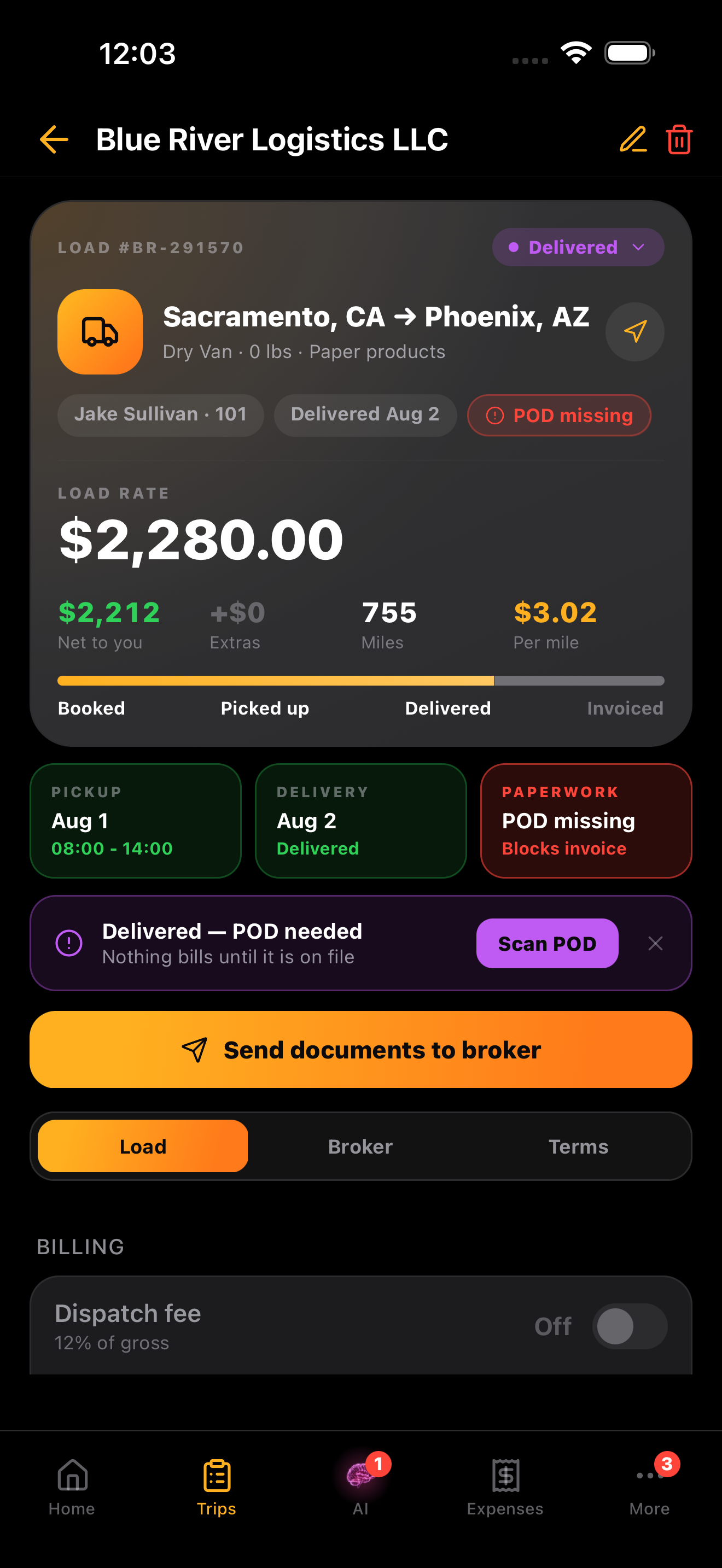
The driver scans the signed POD into the load. HaulBook notifies the office and keeps it beside the rate confirmation. Preview the documents, approve the broker send, and bring the complete paperwork into invoice review.
✓ Scan and attach PODs, BOLs & receipts
✓ Keep every document with its load
✓ Surface missing PODs before invoice review
Rate confirmation ✓Signed POD ✓Detention reviewed ✓Sample #1048 · ready for invoice review
HaulBook trips · proof-of-delivery check
05 / INVOICEDTURN FINISHED WORK INTO BILLABLE WORK
INVOICES + ACCOUNTS RECEIVABLE
Delivered. Ready to bill.
Load details and approved charges fill the invoice. Select the documents, review and send through your connected email. Track outstanding balances and recorded payments; overdue follow-up drafts come back to you for approval.
THE DOCUMENT HANDOFFFrom proof. To payment tracking.
01POD attached
02Invoice prepared
03Review & send
You control the send
DISPATCH & BILLING · ONE WORKSPACE
LOAD #1048 · THE SAME RECORDPaperwork ready. Payment in view.
Delivered loads appear ready to invoice. The POD, rate confirmation and reviewed charges stay together; receivables keep the outstanding balance and payment status visible.
Rate confirmation✓
Proof of delivery✓
Reviewed detention$150
invoice_1048.pdfReady for review
NTNorthline TransportCarrier operations
SAMPLE NOT SENT
Freight invoice
INVOICE #1048
BILL TODemo FreightLoad reference #1048
INVOICE DATESeptember 9, 2026Net 30 · Due October 9, 2026
Sacramento, CAPortland, OR
DESCRIPTION
AMOUNT
Linehaul · Load 1048
$2,400.00
Detention · 1.5 hours × $100
$150.00
Total due$2,550.00
ATTACHED TO THIS INVOICE✓ Rate confirmation✓ Signed proof of delivery✓ Reviewed detention
Reference invoice 1048 with payment. This is an illustrative document for the website; no invoice or payment is sent.
06 / PAYROLL & SETTLEMENTSTHE REAL RESULT, AFTER THE REAL COSTS
DRIVER PAY + EXPENSES + PROFITABILITY
Know what moved. Know what’s left.
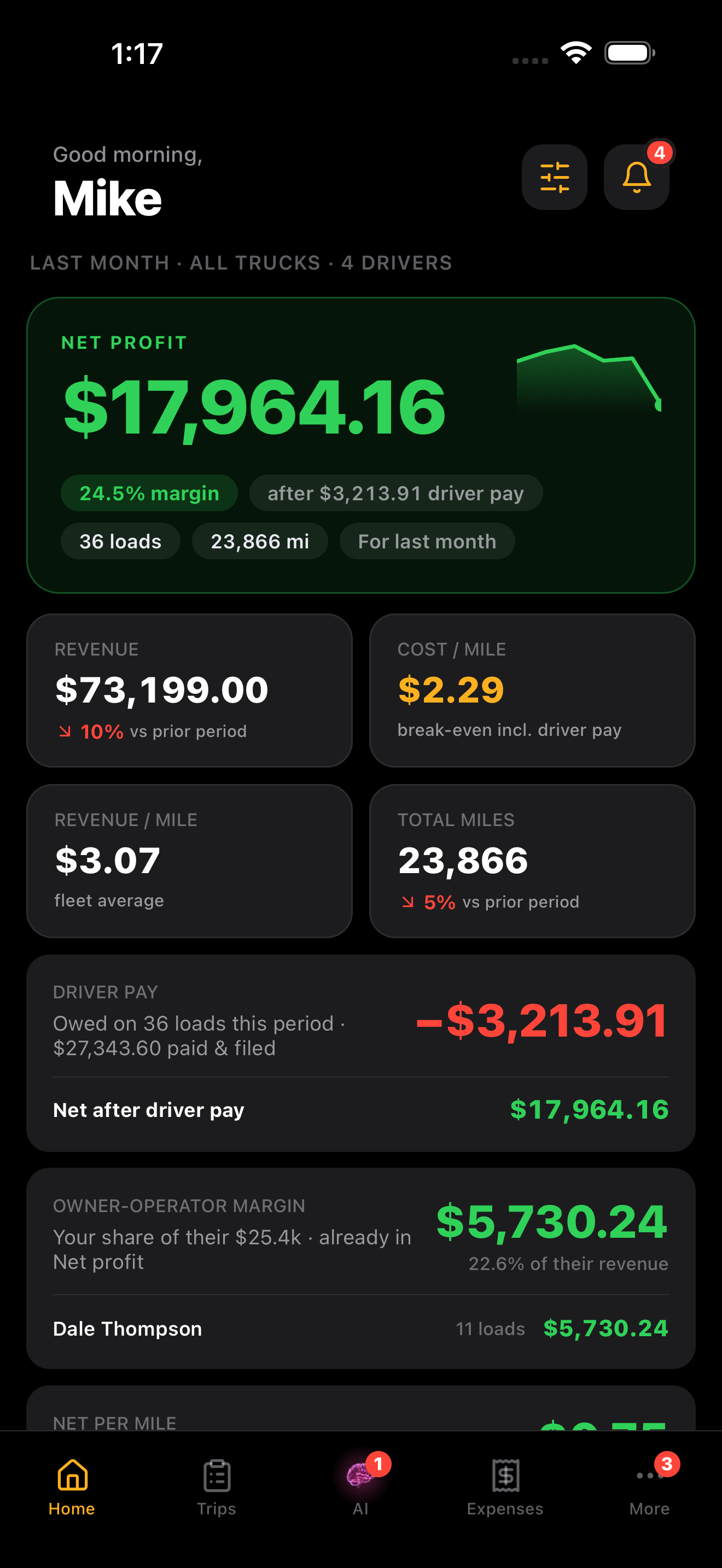
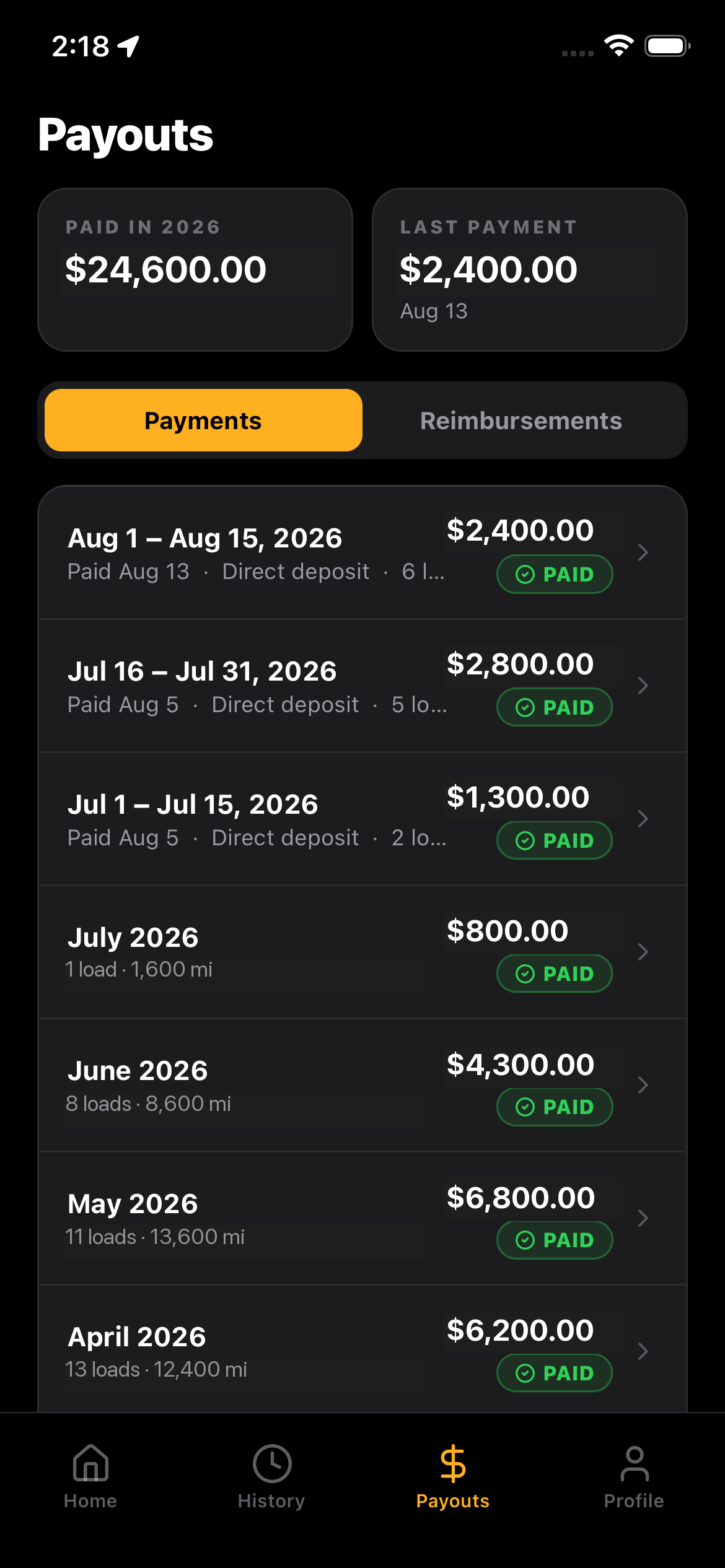
Load earnings feed driver pay and owner-operator settlements. Review deductions, reimbursements and net amounts, then approve the run and record the statements. Track operating costs alongside the profit.
$720 driver pay (620 loaded + 100 deadhead miles at $1/mi), $430 other costs + fuel. Simplified example; actual rules and costs apply. Payroll records do not initiate a bank transfer.
Example accounts · figures are illustrative
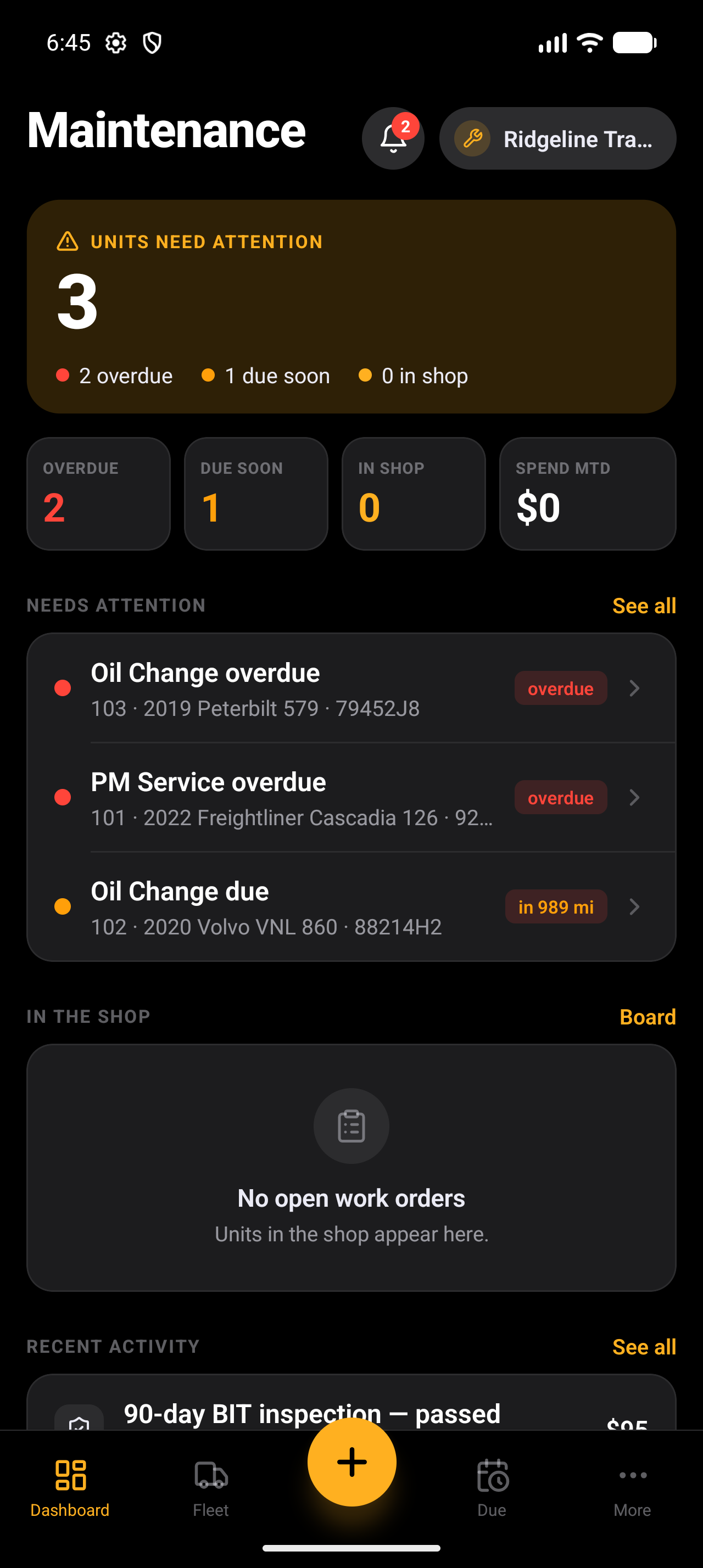
THE NEXT LOAD STARTS HEREHAULBOOK MAINTENANCE · PRO + MAINTENANCE SEAT
KEEP THE EQUIPMENT READY
Ready for the next run.
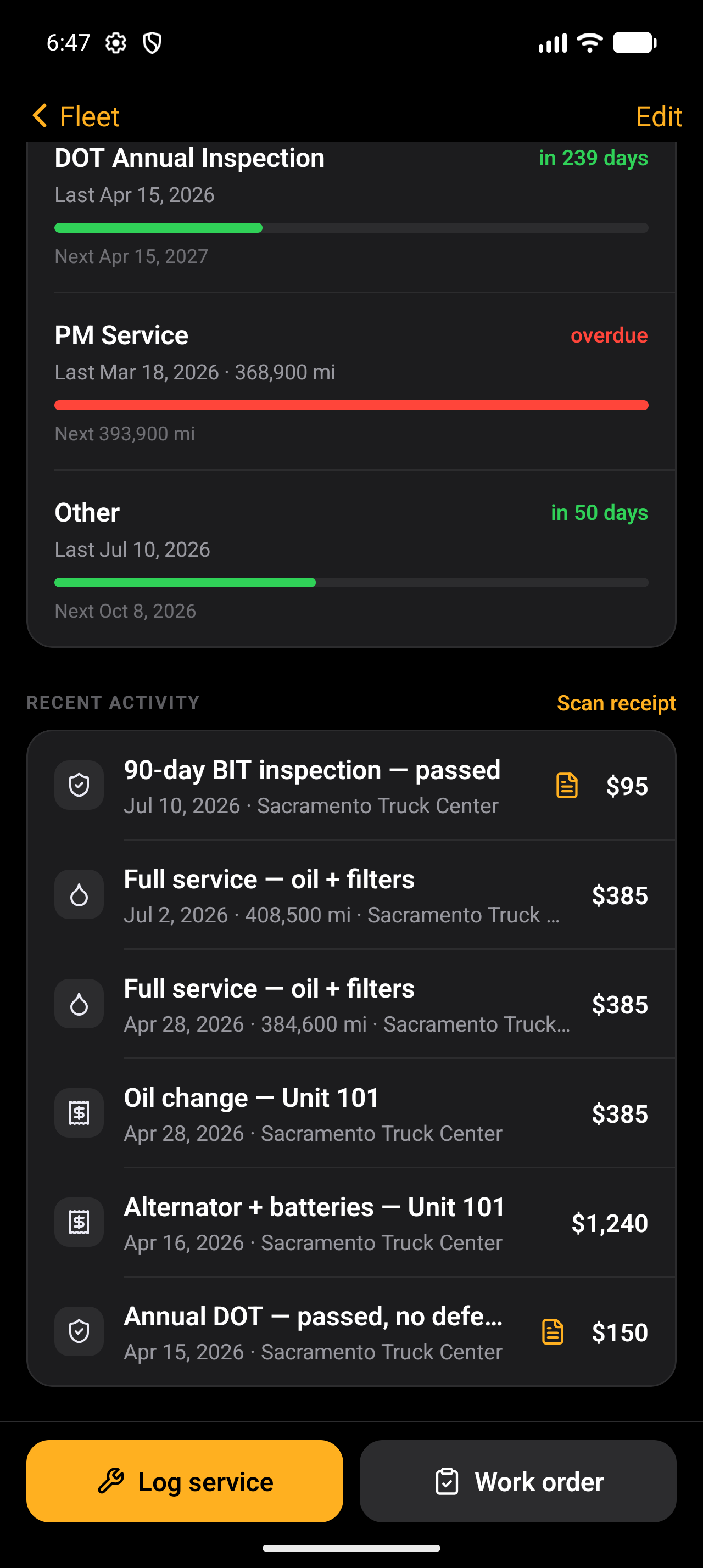
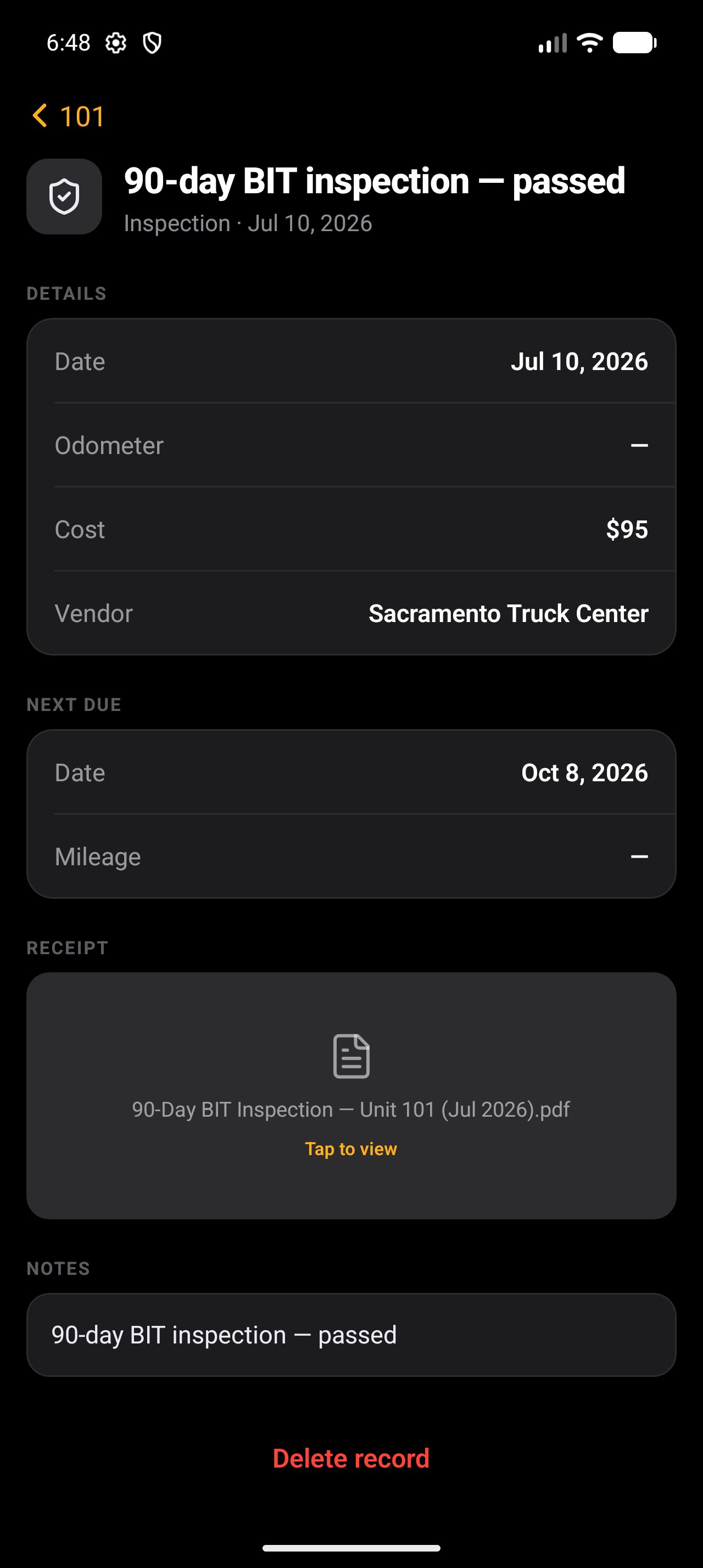
While the office closes the load, the shop keeps the fleet moving. Service history, due dates, defects and work orders stay connected to your equipment.
Fleet healthDate & mileage-based service intervals
Service & work ordersRepairs, vendors, costs & receipts
Inspections & defectsRecords, documents & follow-up work
ONE OPERATION. EVERY ROLE.EXPLORE THE PLATFORM
Built around the work you do.
One truck or a growing fleet. HaulBook brings the office, the road and the shop into the same operation.
Owner-operatorsFleet officesDrivers & shop teams
CHATGPT + CLAUDE · MCP CONNECTION
Your TMS. In your AI.
Connect HaulBook to ChatGPT or Claude through Model Context Protocol (MCP). Ask about your loads, drivers, invoices, expenses, maintenance and IFTA records in the AI assistant you already use.
Keep the next step connected. With Pro, record an invoice submission, add a load note or create a “Needs you” card. Sending, paying and approving stay with your team.
For eligible office accounts on Standard or Pro. Recording tools require Pro. Assistant plan and connector setup requirements apply.
FOR OWNERS & DISPATCHERS
The whole load, in one place.
Plan the work in Fleet TMS. Give the driver the details. Keep the trip, stop activity and paperwork connected as the load moves.
01Dispatch board
Assign drivers, trucks and trailers. Follow loads from the road into billing.
02Stops & schedules
Pickup and delivery details, appointment windows, contacts and trip history.
03Tracking & stop activity
View supported ELD locations and Hours of Service alongside driver arrival and departure events.
04Driver handoff
Assignment notifications and stop details reach the HaulBook Driver app.
05Detention & lumpers
Keep stop times, agreed terms, charges for review and receipts with the load.
06Trip documents
Rate confirmations, BOLs, PODs and supporting files belong to the trip.
FOR THE OFFICE BETWEEN THE LOADS
Less retyping. A clearer next step.
Let HaulBook read the paperwork and bring the next action forward. You choose the automation settings and review the decisions that need you.
01Connected inbox
Gmail or Outlook brings broker conversations and rate confirmations into the operation.
02Rate-con reading
Prepare a load draft with stops, dates, rate and broker details. Review to save.
03Broker replies
Prepare replies from the conversation and load context, with approval where required.
04“Needs you” queue
Review new load drafts, document sends and other proposed actions in one place.
05Operational follow-ups
Surface missing PODs, detention and delivered loads still waiting to be invoiced.
06Tracking controls
Choose automatic, approve-first or off for broker tracking updates.
FOR THE FLEET OFFICE & ITS PEOPLE
Know who is doing the work.
Keep the people, agreements and records behind every assignment organized—from company drivers to owner-operators and third-party carriers.
01Driver profiles
Contact details, assigned equipment, CDL and medical-card records.
02Owner-operators
Pay arrangements, fees, deductions and settlement records for contracted drivers.
03Third-party carriers
Carrier profiles, associated drivers and carrier statement records.
04Hiring & agreements
Application review, hiring documents and agreements drivers can sign in-app.
05Credential reminders
Follow upcoming document expiry dates for drivers and equipment.
06Office team
Employee rosters, roles and time-clock records for office staff.
FOR OWNERS & THE BILLING DESK
From what you earned to what you keep.
Bring the load, the costs and the pay record together. See what is ready to invoice, what is outstanding and what the operation actually kept.
01Invoicing
Prepare invoices with reviewed charges and selected documents; review and send by email.
02Receivables
Track outstanding balances and recorded payments. Review overdue follow-up drafts.
03Company-driver pay
Work with pay arrangements, deductions, reimbursements and reviewed payroll runs.
04Settlements
Keep owner-operator earnings, fees and adjustments in the settlement record.
05Expenses
Record receipts, categories, truck costs and fixed or recurring expenses.
06Profitability
Net profit, margins, revenue per mile and break-even costs across your operation.
FOR OWNERS & THE BACK OFFICE
Make every fuel entry useful.
Keep purchases, fuel cards and state mileage organized. Use the same records to understand truck costs and prepare your quarterly IFTA reports.
01Fuel transactions
Keep diesel, reefer fuel, DEF and fees itemized in the fuel record.
02Fuel cards
Connect card assignments to trucks and drivers for clearer cost allocation.
03Statement reading
Read fuel statements with AI, review the entries and retain the source document.
04State mileage
Bring in ELD mileage reports or record state entries for the reporting period.
05Quarterly IFTA
Review state miles, fuel gallons and MPG using your recorded data.
06Filing records
Keep the filed IFTA receipt attached to its quarter for later reference.
FOR THE OFFICE & MAINTENANCE TEAM
Keep the next run in view.
Connect the equipment record to the people keeping it ready. Shop work stays with the truck or trailer and reaches the main app and Fleet TMS.
01Equipment records
Truck and trailer details, assignments, registration and inspection records.
02Preventive maintenance
Follow date and mileage-based service intervals and due dates.
03Service history
Keep repairs, vendors, costs and receipts connected to each unit.
04Work orders
Organize service work and follow-up repairs with the equipment.
05Inspections & defects
Record inspections, driver-reported defects and the work needed to resolve them.
06Dedicated shop access
The Maintenance app gives the shop its equipment and service work to manage.
THE RIGHT APP FOR YOUR ROLE
Download the apps.
Already have your account or invitation? Choose your app and sign in.
01 / HAULBOOK + FLEET TMS
Run the business.
Owner-operators and fleet offices manage loads, people, paperwork and money in HaulBook. Add the browser-based Fleet TMS with Pro.
Open Fleet TMSSign in with the account you created on the website.02 / HAULBOOK DRIVER
Run the load.
Drivers receive assignments, update stops, scan paperwork, submit expenses and view pay statements in their own app.
Join with an invitation from a Pro carrier.03 / HAULBOOK MAINTENANCE
Keep it ready.
The shop manages equipment, service history, inspections and repair work in its own focused app.
The account owner provides a maintenance seat on an active Pro carrier.
Create your account, set up your company and choose your plan. Then download HaulBook and sign in with the same email.
02
Add the details that matter.
Set up company details, equipment, drivers, pay arrangements and costs. Add fuel cards and paperwork as you go.
03
Connect the people and tools.
With Pro, connect email and supported providers. Invite drivers from the office; the account owner sets up dedicated shop access in Team.
AI OPERATIONS
The next step. Already prepared.
Read rate confirmations. Prepare load drafts. Connect driver activity to broker updates. Surface missing PODs, detention and invoices still unpaid. You set tracking permissions and approve bookings, document sends and payment follow-ups.
AutoDispatch is in beta. Access is being opened in small
batches.
Estimate your monthly subscription.
$44.99/ month
30-day trial for eligible new Pro subscriptions on up to 2 trucks.
Card required.
Create your account, complete company setup and choose your membership
here on the website. Download the apps separately when you’re ready.
The details, upfront. The 30-day Pro trial covers up to 2
trucks and includes 150 AI credits per truck for the trial. Cancel
before it ends to avoid being charged. Starting with 3+ trucks, or
increasing a trial to 3+, starts paid billing immediately.
Paid plans automatically renew monthly until cancelled. Unused AI
credits do not roll over; usage limits apply. Cancellation stops
future renewals and takes effect at the end of the paid period.
Prices in USD. Full subscription terms
Yes. One truck, two drivers, unlimited loads and documents, with
no time limit or card required. Enter and organize your work
manually. AI features are on paid plans; Fleet TMS and the driver
app require Pro.
What happens after the Pro trial?+
Your eligible new Pro subscription is free for 30 days on up to 2
trucks. A card is required, and billing starts automatically when
the trial ends unless you cancel beforehand. Starting with 3 or
more trucks, or raising a trial above 2 trucks, starts paid
billing immediately. Standard has no trial.
What can AI do, and what needs my OK?+
Standard reads rate confirmations and fuel documents and drafts
broker emails. Pro adds broader reading and automation. You review
AI output and control permissions. Quoting rates and booking loads
always require approval. AutoDispatch is in beta with gradual
onboarding; joining Pro does not guarantee immediate beta access.
How do the Driver and Maintenance apps connect?+
Both apps work with your carrier’s HaulBook records. Drivers join through a carrier invitation. Maintenance staff use a maintenance seat created by the office. The carrier needs active Pro access; staff see the information needed for their role. The apps are free to download.
Does it replace my ELD?+
No. HaulBook is trucking business software, not an ELD. Keep using
your ELD for hours of service. Connection availability depends on
the provider and your setup; check with support about your
equipment.
Can I use it on Android or my computer?+
The HaulBook owner-operator app is available on iPhone and Android.
Download the apps for your role. The browser-based Fleet TMS
is included with Pro. Open Fleet TMS
How do I cancel or get help?+
Manage your subscription in
Account & billing, or email
support@haulbookapp.com. Cancellation stops future renewals and takes effect at the end
of the current paid period. See the terms for
full details.
 HaulBook